"Deep reading makes what you read truly stay."
Read, Think, Chat, Note, Build
Five reading actions stay in one continuous workspace.
Read
Read deeply, highlight, underline and save quotes.
Think
Capture thoughts, questions and judgments.
Chat
Ask AI about the selected passage in context.
Note
Keep notes, quotes and summaries together.
Build
Build a structured personal knowledge base.
Table of Contents, Text, AI Assistant — All Present
Companion Reader's core workflow, real product interface — not decoration.
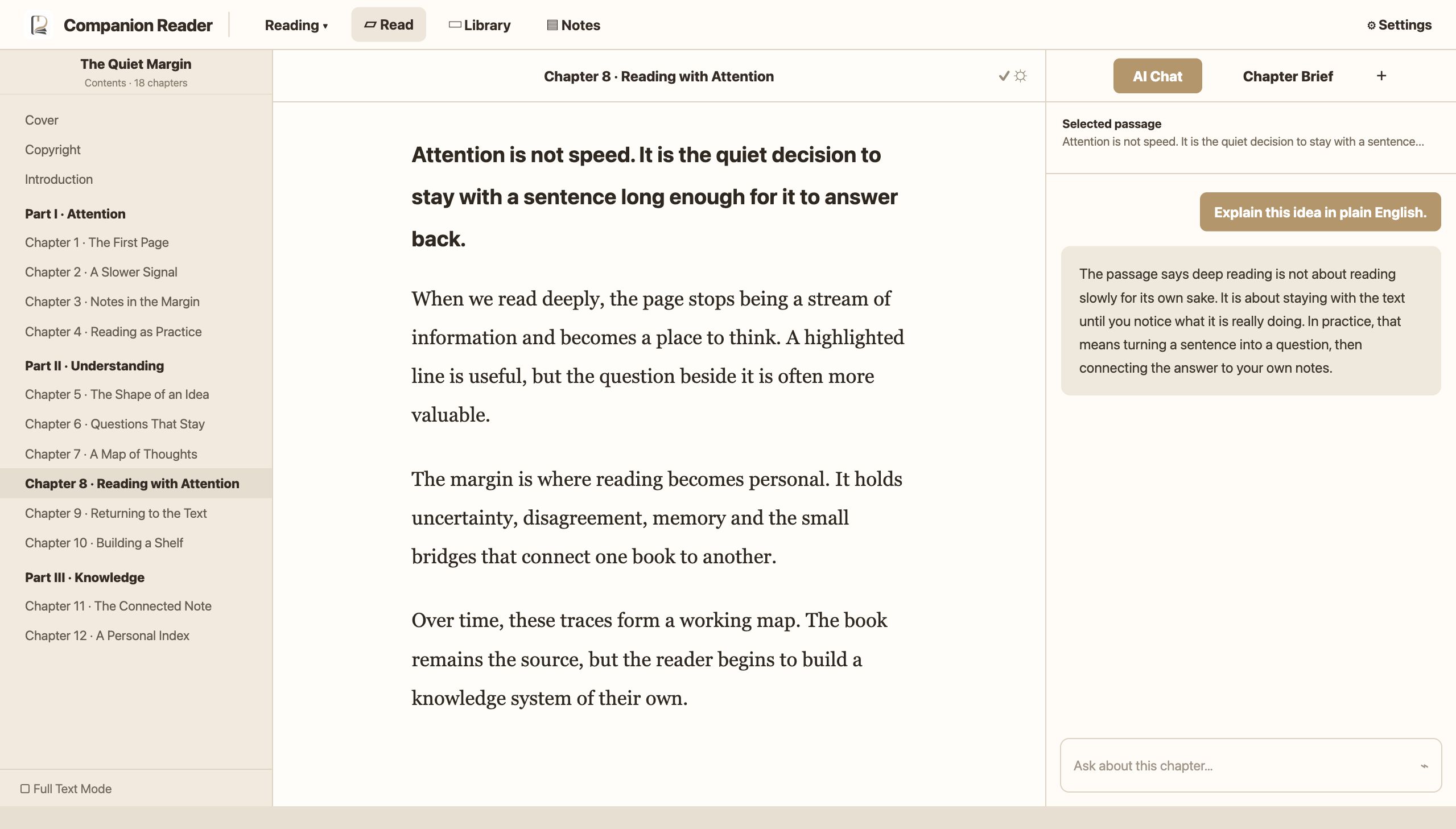
Contents & Progress
Quickly locate chapters, grasp book structure, return to last reading position.
Immersive Text
Highlights, underlines, quotes and notes all stay connected to the source text.
AI Reading Assistant
Explain concepts, question viewpoints, organize arguments and distill chapter essence.
Chapter Essence Extraction
Extract key viewpoints, argument structures and questions worth further thought.
Your Library, Your Management
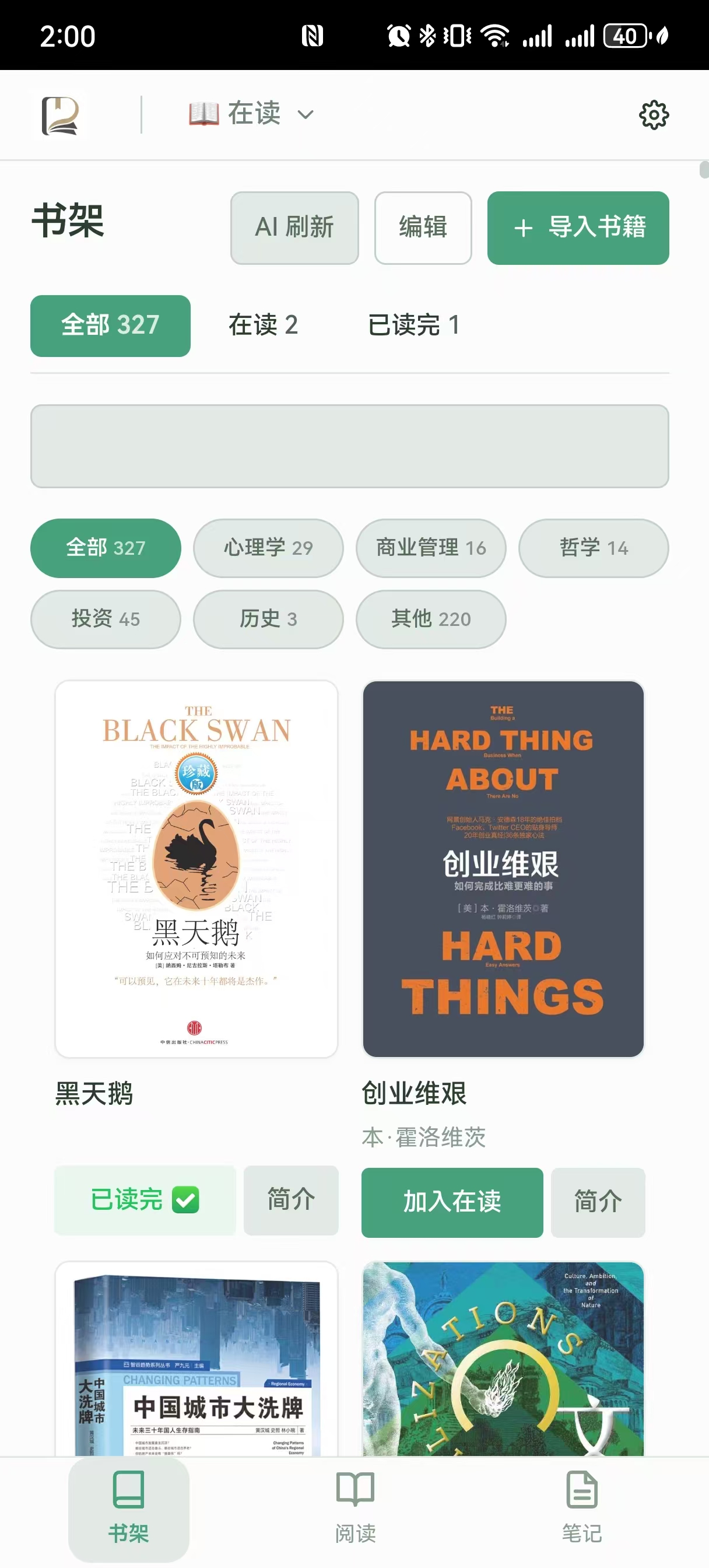
Upload EPUB, categorize, AI-assisted book info enrichment.
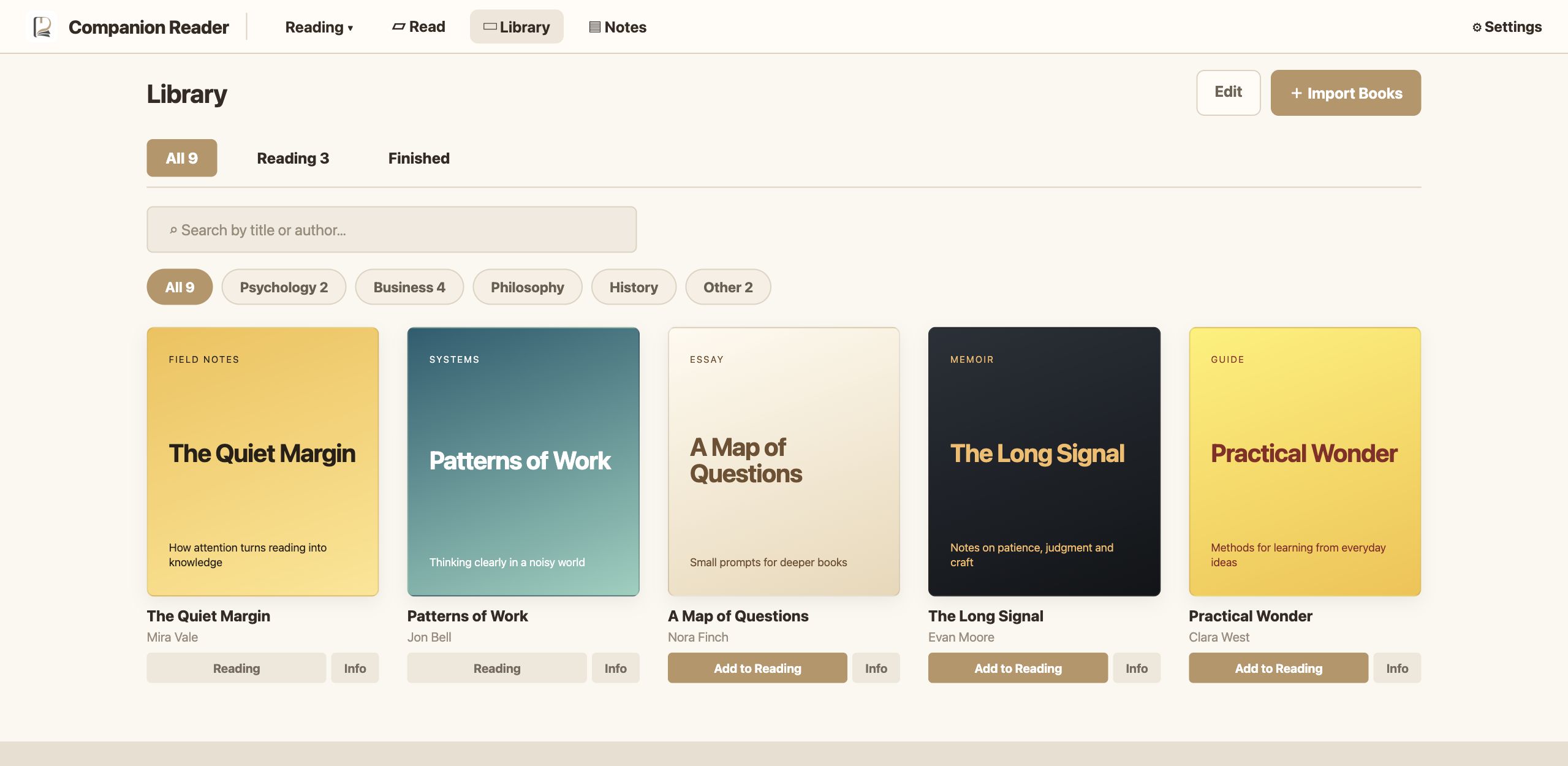
Import Books
EPUB support, one-click import to your library.
Category Management
Categorize by psychology, business, philosophy etc. AI assists with author, summary and category — user-editable.
AI Book Summary
Auto-generate book summaries and core viewpoints, quickly decide if a book is worth reading.
Every Sentence Worth Keeping
Chat logs, reading thoughts, highlights, quotes, chapter summaries — all in one place
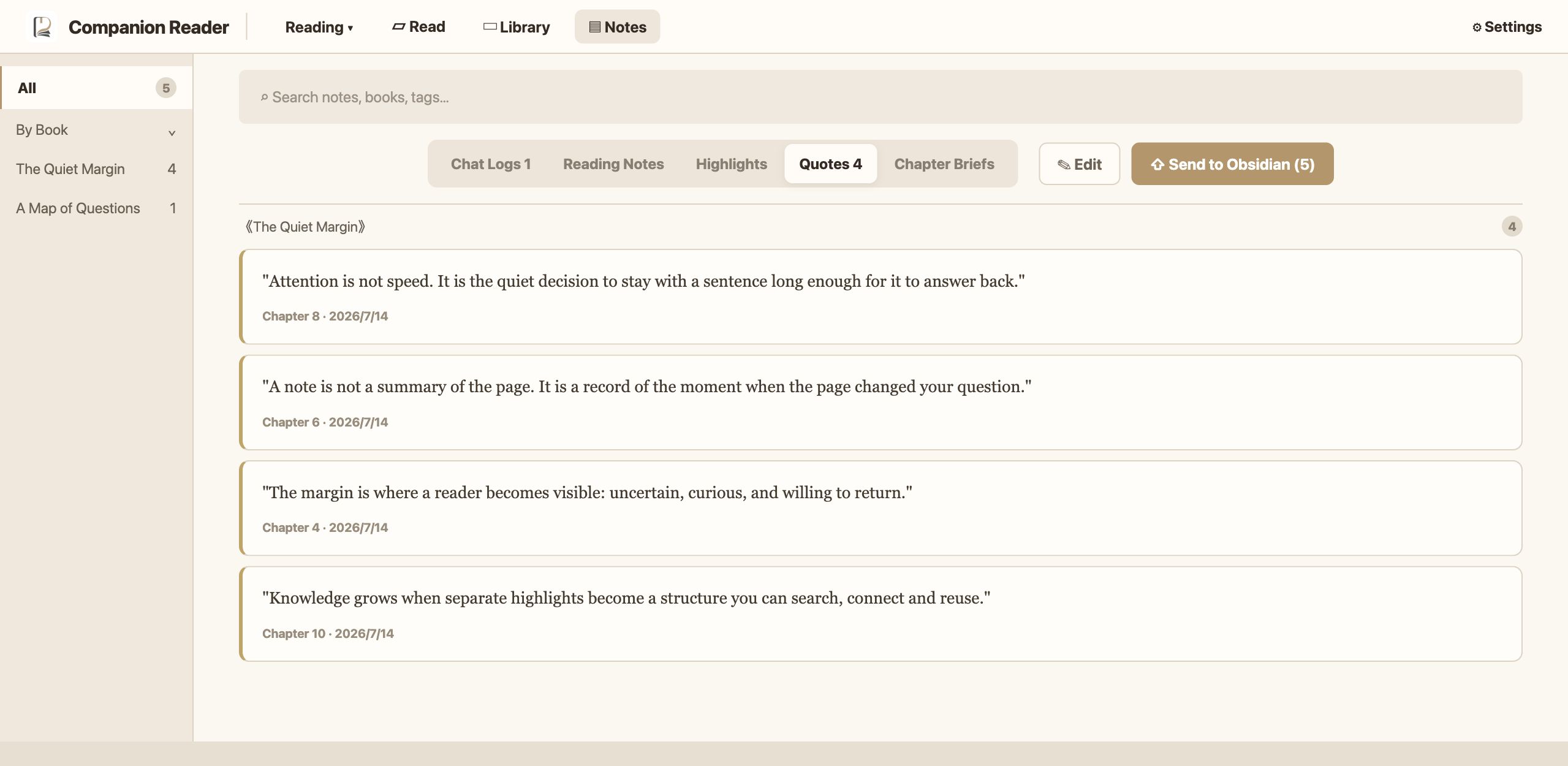
Auto-Sync Reading Notes
Underlines, highlights, quotes and AI chats auto-collected while reading — no extra steps.
Cross-Book Search
Search all notes and quotes by book, chapter, tag or keyword for quick review.
Edit & Organize
Edit, categorize and reorganize collected content into your own knowledge.
Submit to Obsidian
One-click push reading output to Obsidian for long-term knowledge management.
Deep Reading Even in Spare Moments
Underline, take notes, and chat with AI around the text — anywhere, anytime.
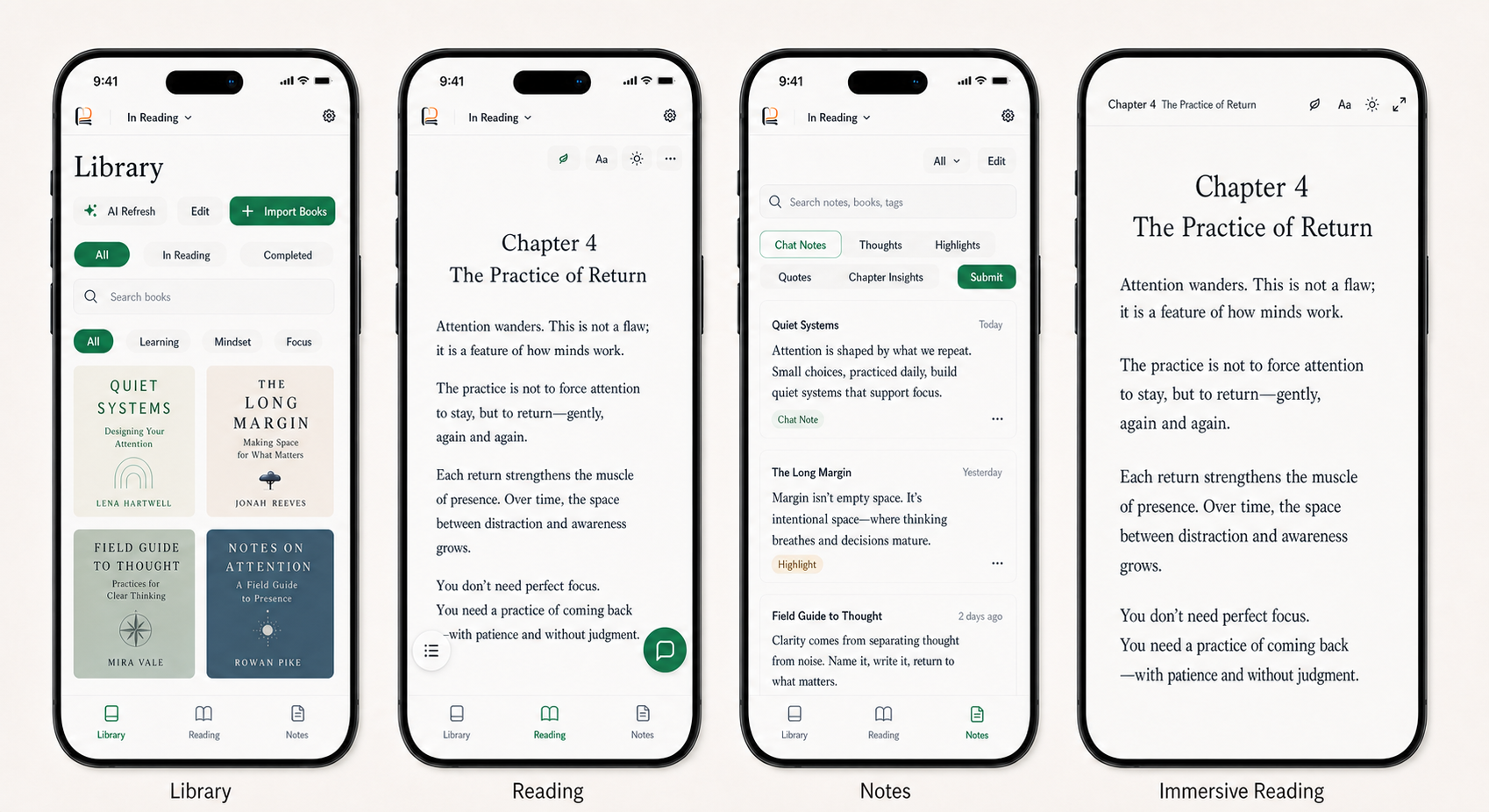
 Bookshelf Home
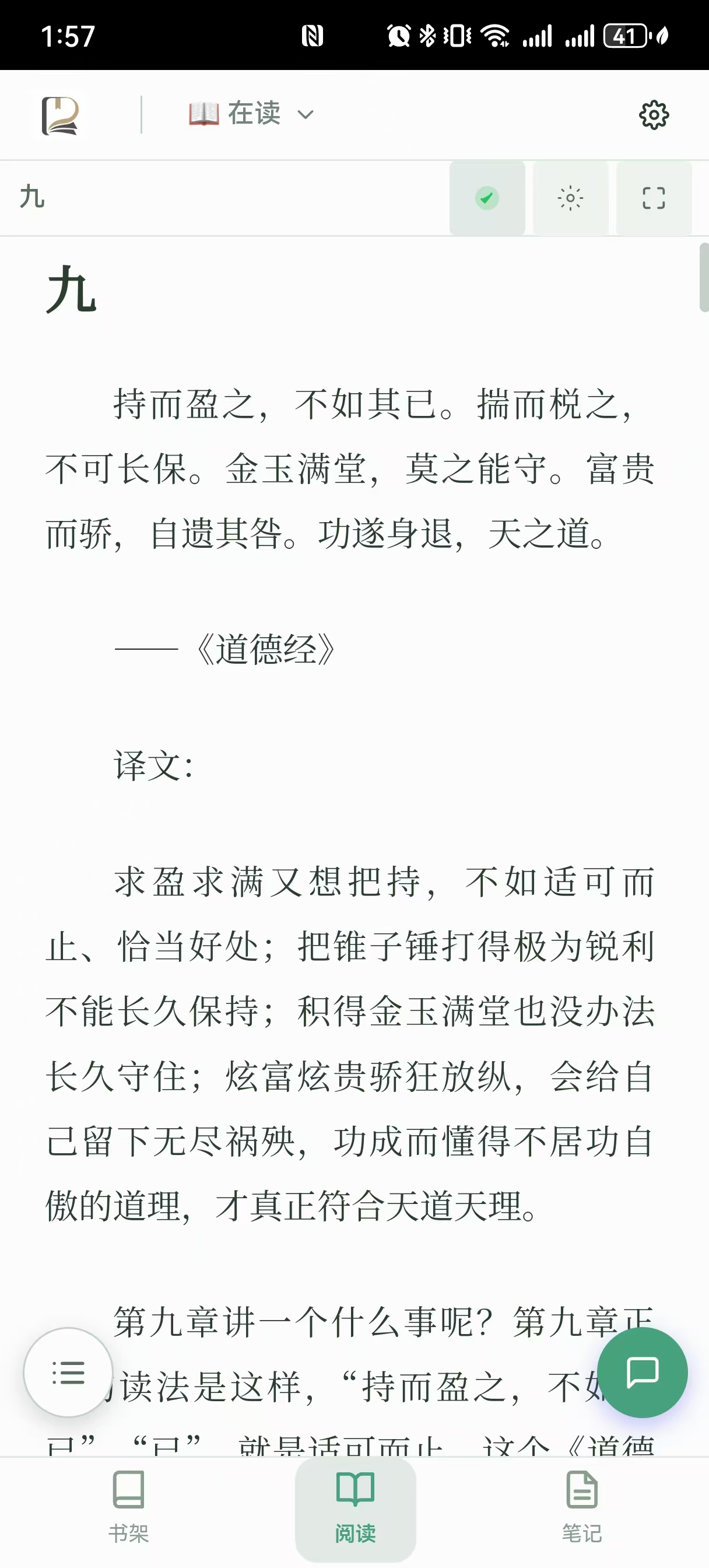 Immersive Reading
 Note Organization
 AI Chat
Not just opening a book,
but leaving your thinking inside it.
AI isn't outside reading — it's right where your questions arise.
Reading Is Not the End, Retention Is
Highlights fade, but structured knowledge keeps working. Companion Reader turns quotes, notes, AI chats and chapter summaries into reusable knowledge for Obsidian.